ShortBlocker
Block Reels, Shorts and TikTok. Keep your friends’ videos.
- Regular videos still play
- Videos friends send you still play
- No ads, ever. No account.
- Free blocks one app at a time
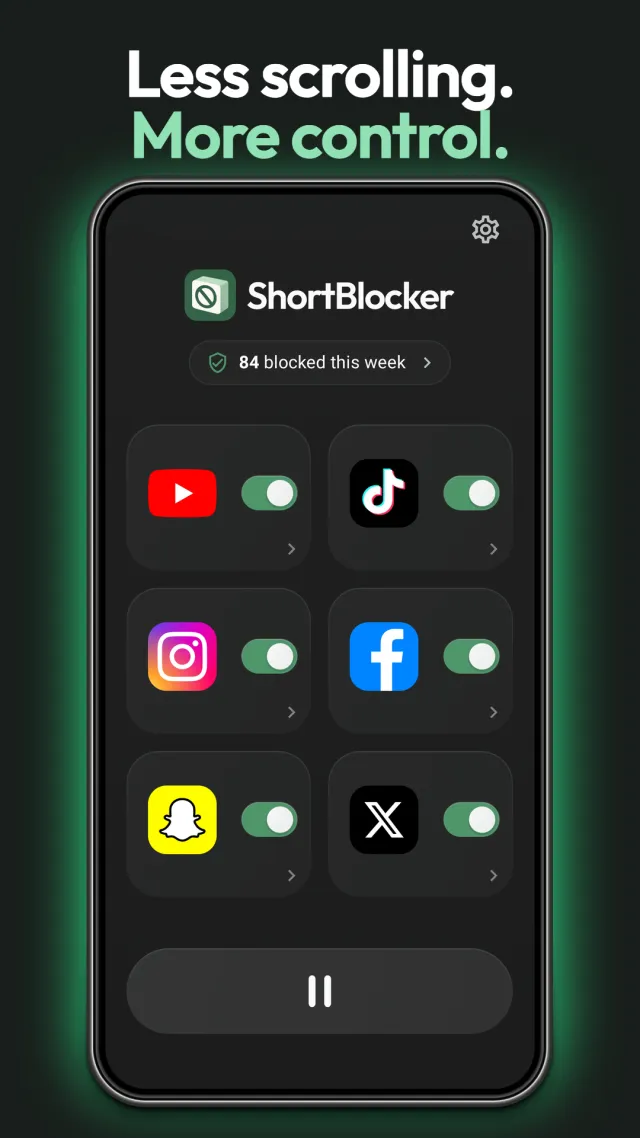
ShortBlocker is a free Android app that blocks YouTube Shorts, Instagram Reels and TikTok, and still lets you watch the videos your friends send you. It also blocks Facebook Reels, Snapchat Spotlight and X videos, and leaves the rest of each app alone.
Free with no ads; Premium is optional. Android 8 or later. Works with YouTube, TikTok, Instagram, Facebook, Snapchat and X. Try the interactive demo.
Why ShortBlocker
-
Friends’ videos still play
A Reel or short video sent to you in a message plays, so you can watch it and reply. Swipe on to the recommended videos after it, and they’re blocked again. Works in Instagram, TikTok, Facebook (from Messenger) and Snapchat. It is on by default, and free.
-
No ads. No account.
ShortBlocker has no ads, no sign-up and no tracking. Nothing leaves your phone unless you choose to send a report.
-
Free, and Premium costs little
Free blocks one app at a time, with Stats, pause, reports and updates. Change which app whenever you like. Premium blocks all six at once and adds more controls, for about a dollar a month on the yearly plan. Try it free for 7 days.
-
Watch regular videos
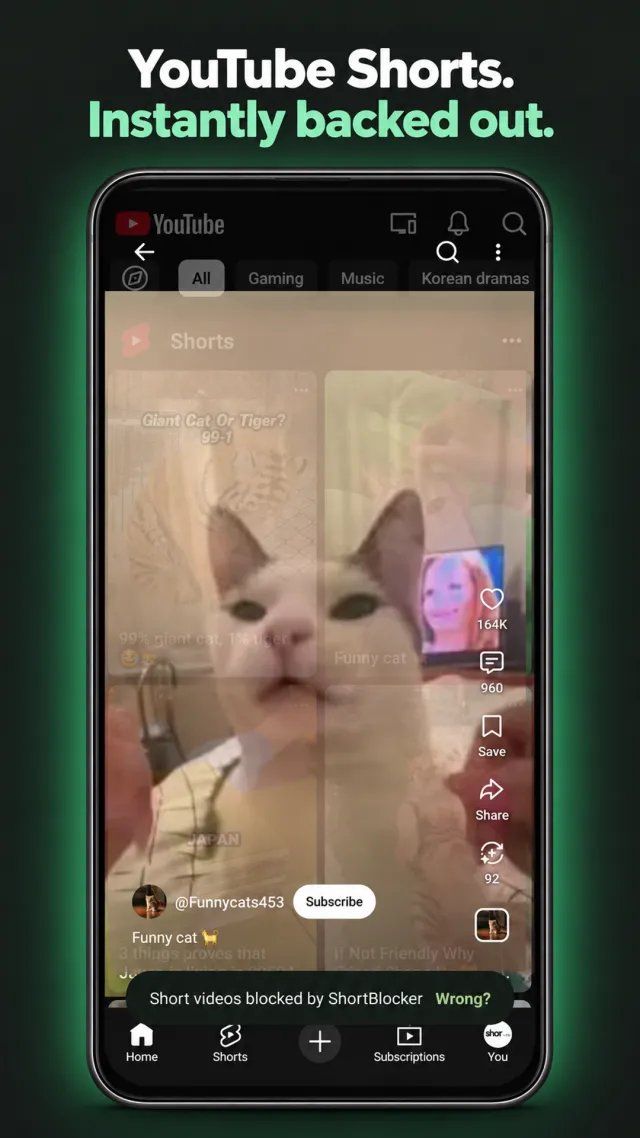
Only short videos are blocked. Long YouTube videos, your feed, Stories, search and profiles all keep working. You don’t have to delete the app to stop the scroll.
What it blocks, and what it leaves alone
| App | Blocked | Keeps working |
|---|---|---|
| YouTube | Shorts | Home, search, subscriptions, channels, comments and long videos |
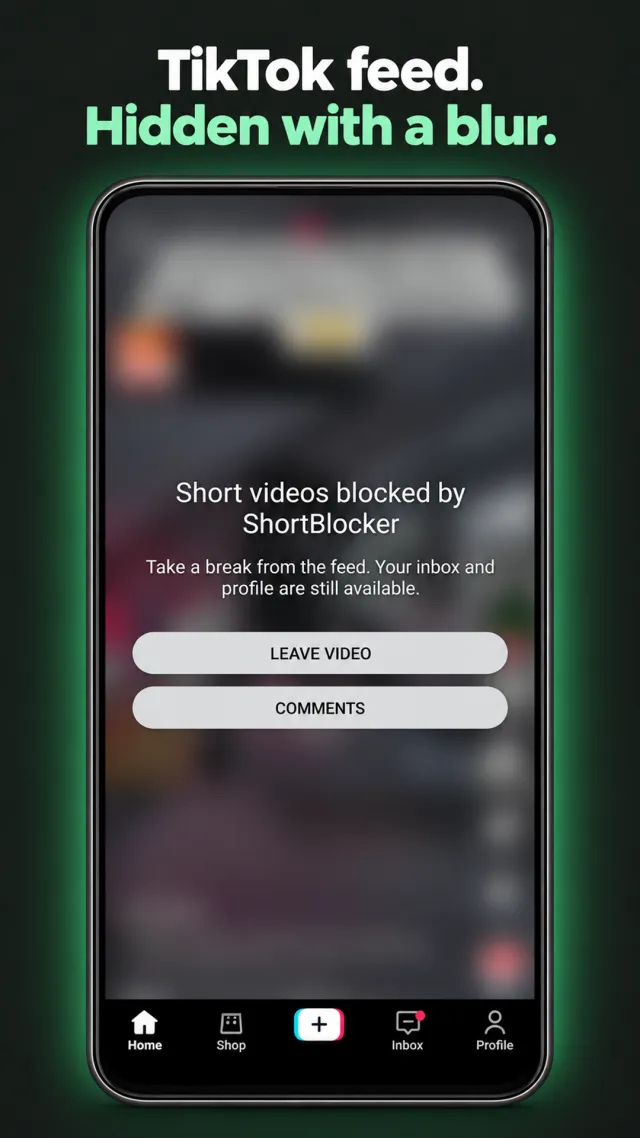
| TikTok (including TikTok Lite) | Videos, covered over with a Leave video button | Your inbox and profile, and videos friends send you |
| Reels | Messages, feed, Stories, search, profiles, and Reels friends send you | |
| Facebook (main app) | Reels | The rest of the app, and a Reel sent to you in Messenger |
| Snapchat | Spotlight | The rest of the app, and videos friends send you |
| X | Scrolling on to the next video. The video you tap plays | Timeline, profiles, search and chats |
Websites in a web browser and Facebook Lite aren’t blocked. If a short video is ever missed, or something is blocked by mistake, you can report it from the app. See how to report a miss or a mistake.
How it works
-
Install
Get ShortBlocker from Google Play.
-
Switch on an app
Open ShortBlocker and switch on the app you want to block. It shows a short notice with an Open settings button.
-
Allow access
Tap Open settings, find ShortBlocker in Android’s Accessibility list, switch it on and tap Allow. Short videos are blocked from then on.
The menu names differ a little between phones. Step by step for Google Pixel, Samsung, Xiaomi and other phones.
Guides
-
How to turn on ShortBlocker
Steps for Google Pixel, Samsung, Xiaomi and other Android phones.
-
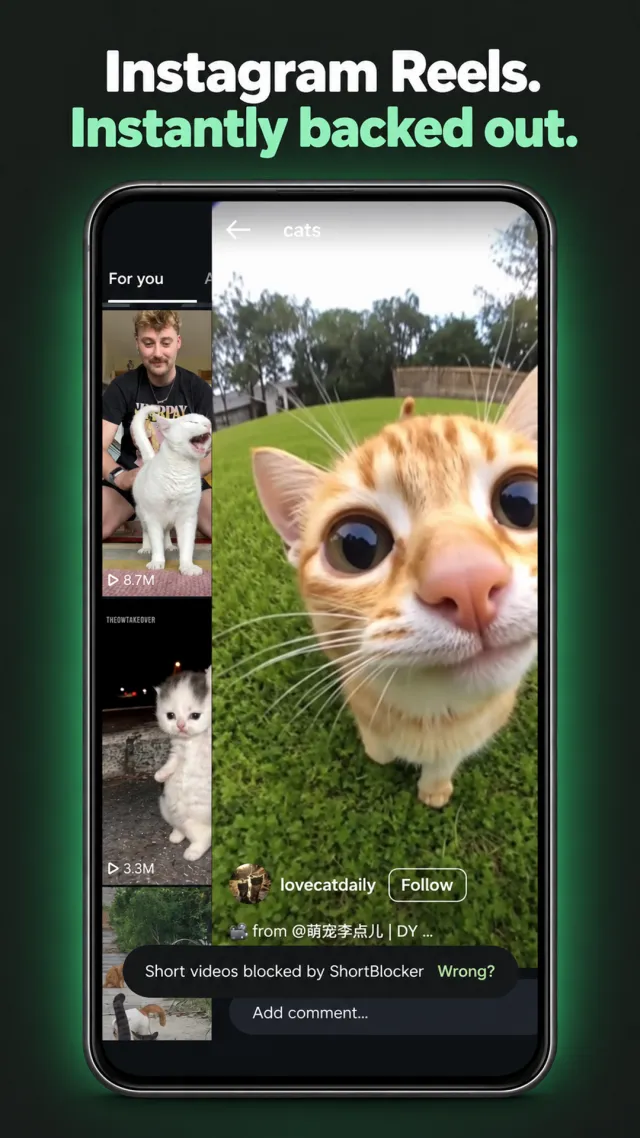
Block Instagram Reels, keep DMs
Reels are blocked. Your messages and the Reels friends send you still work.
-
Block TikTok, keep friends’ videos
The feed is covered over. Videos friends send you still play.
-
Block YouTube Shorts, keep videos
Shorts are blocked. Regular YouTube videos keep playing.
-
Block all of them at once
One app on the free plan, or all six with Premium.
-
Report a miss or a mistake
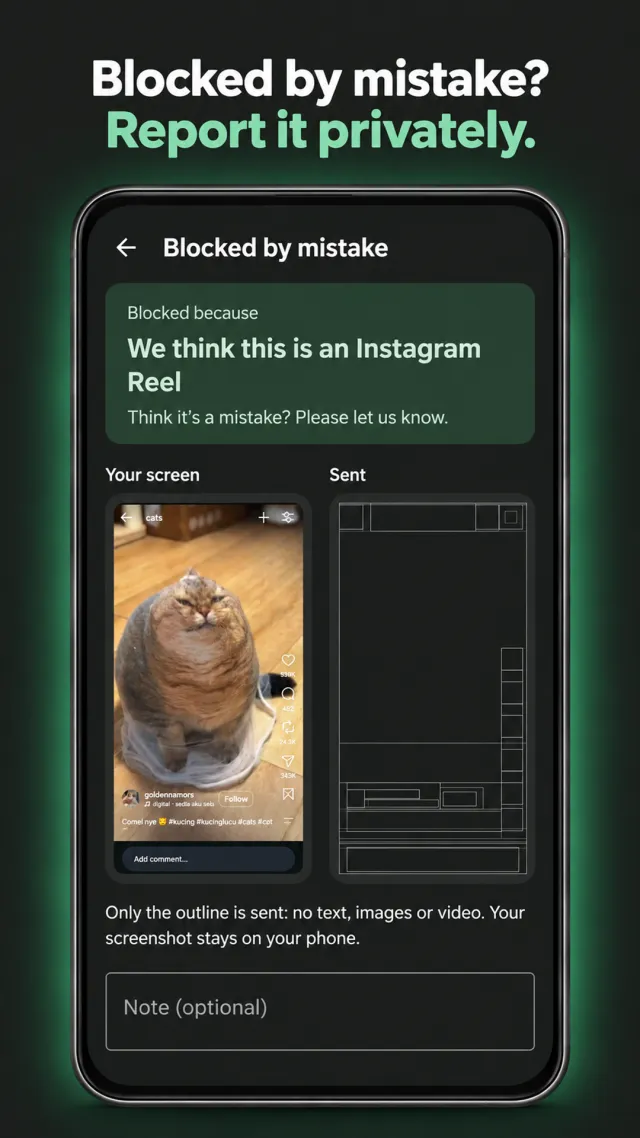
Tap Wrong? on a mistaken block, or add the Report a page button for a missed video.
More screens
Free vs Premium
| Feature | Free | Premium |
|---|---|---|
| Block YouTube Shorts, TikTok, Instagram Reels, Facebook Reels, Snapchat Spotlight, X videos | One app at a time | All six at once |
| Change which app is blocked | Any time | Any time |
| Regular videos and videos friends send you still play | Yes | Yes |
| Pause blocking (up to 24 hours) | Yes | Yes |
| Report a miss or a mistake | Yes | Yes |
| Detection updates | Yes | Yes |
| Ads | None | None |
| Account | None | None |
| Stats: blocked today, this week and all time | Yes | Yes |
| X: the video you tap plays, scrolling on is blocked | Yes | Yes |
| Tap to watch in the other apps (the video you tap plays, scrolling on is blocked) | No | Yes |
| Block videos friends send you, app by app | No | Yes |
| Allow videos you searched for, in all six apps | No | Yes |
| Allowed creators (YouTube, Instagram, TikTok and X) | No | Yes |
| Schedules and a daily allowance for each app | No | Yes |
| Strict mode | No | Yes |
| Price (US) | Free | $12.99 a year (about $1.08 a month) or $1.99 a month |
About a dollar a month on the yearly plan. Monthly and yearly both start with a 7-day free trial for new customers, and you can cancel any time in Google Play. No weekly plans. Local prices are shown in Google Play and in the app.
Questions
Can I block YouTube Shorts but still watch regular YouTube videos?
Yes. ShortBlocker only blocks Shorts. Home, search, subscriptions, channels, comments and long videos all keep working.
Can I still watch a video a friend sends me?
Yes, in Instagram, TikTok, Snapchat and Facebook (a Reel sent in Messenger). The video you were sent plays, so you can watch it and reply. If you swipe on to the recommended videos after it, ShortBlocker blocks them. This is on by default and free; Premium lets you block those videos too, app by app. YouTube is the exception: a Shorts link sent to you opens in YouTube’s Shorts player and is blocked.
Is ShortBlocker free?
Yes. The free version blocks one app at a time, with no ads and with Stats, and you can change which app whenever you like. Premium blocks all six apps at once and adds more controls, for about a dollar a month on the yearly plan.
Does it have ads or need an account?
No. There are no ads, no account, no sign-up and no tracking.
Which apps does it block?
YouTube Shorts, TikTok (including TikTok Lite), Instagram Reels, Facebook Reels in the main Facebook app, Snapchat Spotlight, and X videos.
Does it block X?
Yes. On X, the video you tap plays, and scrolling on to the next video is blocked. The timeline, profiles, search and chats keep working. On the free plan X is the one app you block; Premium blocks all six at once.
Can I still watch a video I tap?
On X, yes, for everyone: the video you tap plays, and scrolling on is blocked. With Premium, Tap to watch does the same in YouTube, Instagram, TikTok, Facebook and Snapchat, and you can switch it on app by app. The Shorts or Reels tab is still blocked.
Does it block short videos in a web browser?
No. It works in the apps above, not on websites in a web browser.
Can I take a break from blocking?
Yes. Pause blocking for 5, 15, 30 or 60 minutes, or any length up to 24 hours. It switches back on by itself, or you can resume early.
Can I see how many videos it has blocked?
Yes, and it is free. Stats shows what was blocked today, this week and all time, only on your phone.
Why does it need accessibility access?
Android’s accessibility service is how ShortBlocker sees that a short video has opened in a supported app and leaves it. It reads those apps’ screens on your phone only. Nothing leaves your phone unless you choose to send a report. You turn it on yourself in Android settings and can turn it off at any time.
Which Android phones does it work on?
ShortBlocker runs on Android 8 or later. Setup steps for Google Pixel, Samsung, Xiaomi and other phones are in the setup guide.
How do I report a screen that was missed or blocked by mistake?
Tap Wrong? on the blocked notice if something was blocked by mistake. If a short video wasn’t blocked, add the Report a page button to your quick settings from Settings, Help, Report a screen, then tap it while the video is open. You see exactly what is sent before you send anything: the screen’s outline and basic device details, with no text or pictures. The full steps are in the report guide.
What does Premium add?
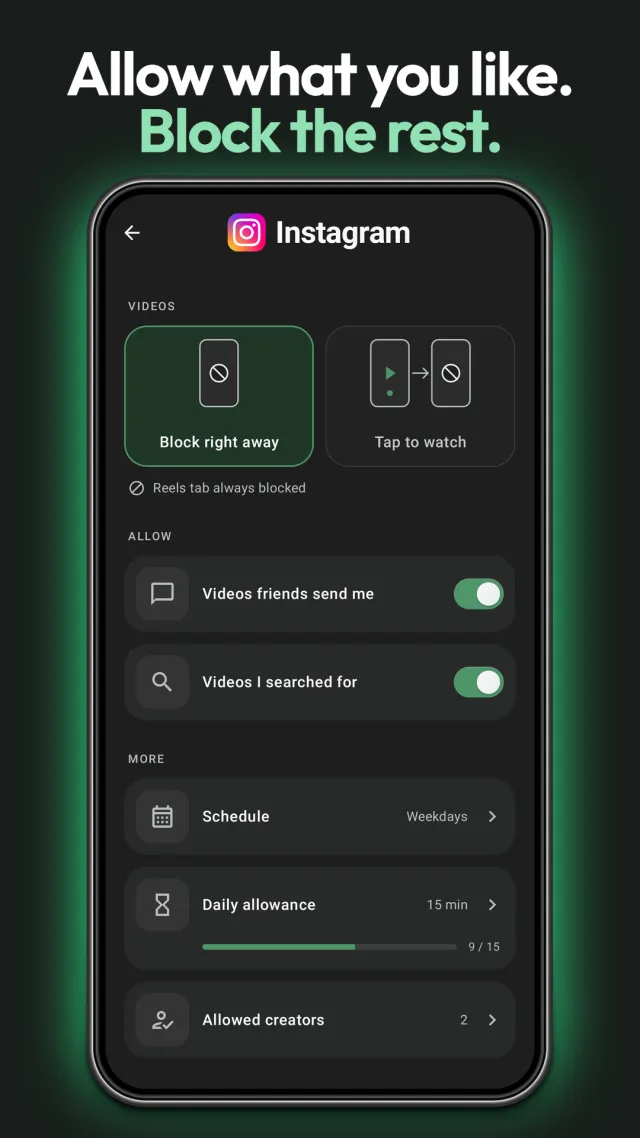
Premium blocks all six apps at once. It adds per-app settings: Tap to watch, blocking the videos friends send you, and allowing videos you searched for. It also adds allowed creators (YouTube, Instagram, TikTok and X), schedules, a daily allowance for each app and strict mode. Everything else is free.
How much does Premium cost?
About a dollar a month on the yearly plan, and Premium is optional. In the US it costs $12.99 a year (about $1.08 a month) or $1.99 a month. Both start with a 7-day free trial for new customers, and you can cancel any time in Google Play. There are no weekly plans. Local prices are shown in Google Play and in the app.
Is ShortBlocker made by YouTube, TikTok or Meta?
No. ShortBlocker is developed independently by SNOR LTD and is not affiliated with, endorsed by or sponsored by Google, YouTube, TikTok, Instagram, Facebook, Meta, Snap or X. Those names are trademarks of their owners.
Get ShortBlocker